Generators · how to
How to Choose a Username That Doesn't Link Your Accounts
Choose a username that keeps your accounts separate. Learn how names, birth years, and repeated handles reveal identity, and generate random ones locally.
Quick answer
Choose a username that contains no real name, birth year, or location, and do not reuse the same handle across accounts. The LeetTools Username Generator combines random dictionary words, themes, numbers, and stylistic transforms locally in your browser.
A username is not a password. Its job is not to resist brute-force guessing; it is to identify you on a platform. That makes the real risk different: usernames get connected. The same handle on your developer account, a gaming profile, and a social network lets anyone—including automated tools—assemble a picture of your activity across the web. A password protects one account; a username that links accounts weakens all of them.
The LeetTools Username Generator creates random handles locally in your browser. It combines themed word lists with adjectives, suffixes, numbers, and optional leetspeak transforms, and it can work from a seed word you provide. This guide explains what to avoid and how to use the generator well.
What makes a username risky
Three habits create most identity-linking problems:
- Real names. A handle containing your name is a direct link from an anonymous account to a searchable identity.
- Birth years and locations. Numbers like
95or03and city or country words act as additional fingerprints that narrow you down. - Reuse. The same handle on multiple platforms is the single strongest connector, because anyone can search it and collect every account that uses it.
Use the generator to reduce the temptation to put your real name, birthday, or location into a handle, and choose a different handle for each site to reduce cross-site linking through reuse. The themed lists can include names, including fictional characters. Generated handles do not guarantee anonymity or uniqueness; review the result and any seed word you supply for personal information before using it.
Generate a random username
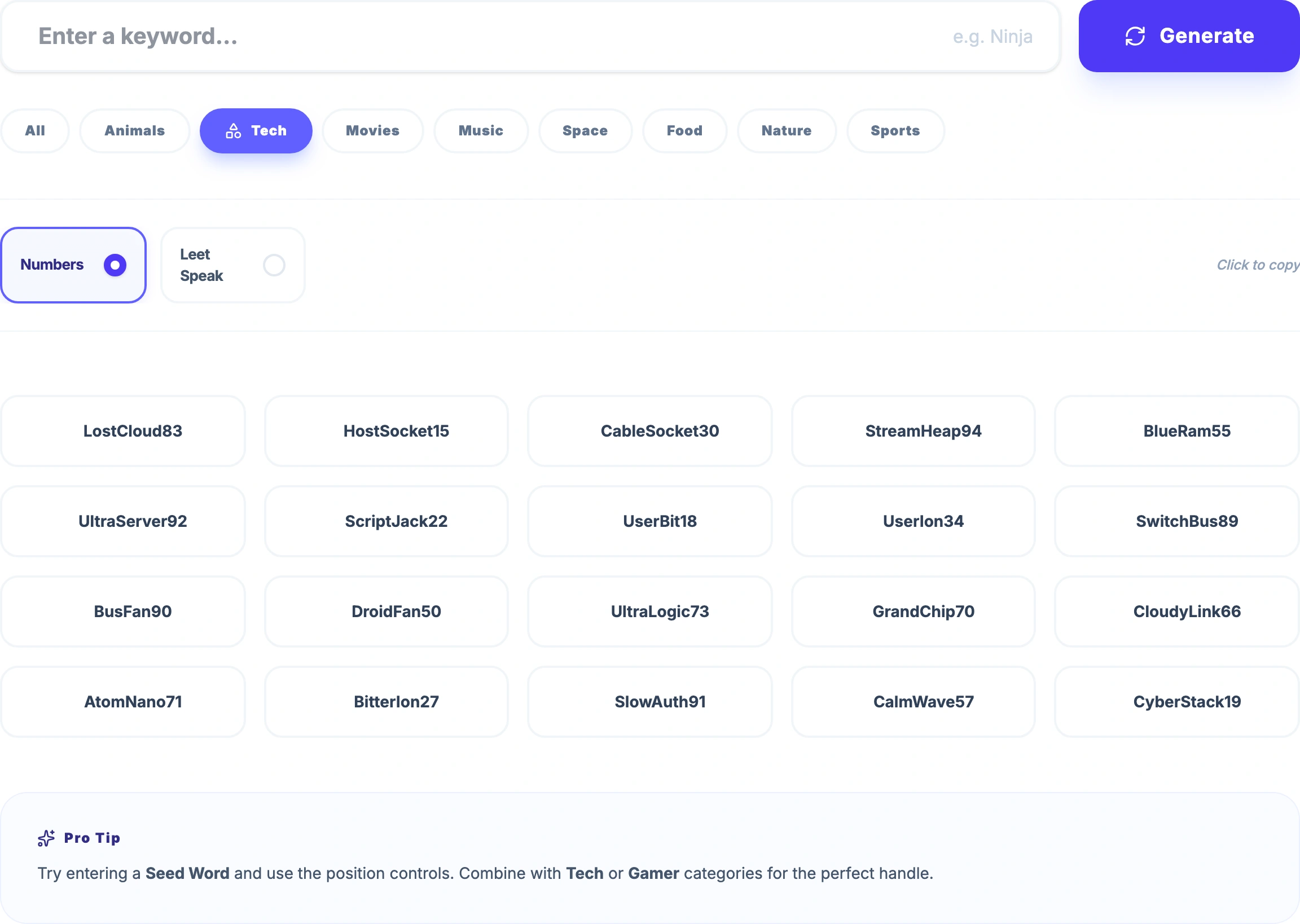
- Open the LeetTools Username Generator.
- Choose a category: All, Movies, Music, Animals, Space, Food, Nature, Sports, or Tech.
- Leave the seed field empty for a fully random handle, or type a word you like to steer the output.
- Set the position to Auto, Start, or End to control whether your seed word leads or trails.
- Turn on Add numbers for a two-digit suffix, and Use leetspeak if the platform allows it.
- Generate and review the options until one fits the platform's length and character rules.
 Open Full Size
The generator pulls from separate word pools per category and combines them with random adjectives, suffixes, and numbers using the browser's cryptographically secure random source. The result is abstract, memorable enough to scan, and free of personal details.
Use a seed word without leaking identity
The seed option is for when a handle should feel intentional—for example a nickname you like on one service. Keep the seed abstract: an interest or a made-up word is fine; your name, birth year, or hometown is not. Set the position to Start or End so the random material surrounds the seed, and consider numbers or leetspeak to make the combination less predictable.
Keep accounts separate
The practical rule: for accounts where being found is fine, use whatever you like. For accounts where privacy matters—developer dashboards, community profiles, throwaway registrations—generate a fresh random handle and never reuse it elsewhere. A username is free to change, unlike a password, so there is little cost to varying it.
Where usernames fit in your credential kit
Usernames pair with the rest of the Local Credential Kit: a strong random password for the credential, a passphrase when you must remember it, and a distinct handle that does not tie the account to your other identities. The password and passphrase guides explain the credential half of that story.
Local generation
The words and numbers are selected and combined in the browser on your device. The generated handle is not sent to LeetTools or any server; nothing you generate here is uploaded so it can be created.
Check a username before you register
- Confirm it contains no name, birth year, or location.
- Confirm it is not a handle you have used on another account you care about.
- Confirm the platform accepts the length and character set.
- For privacy-sensitive accounts, generate a fresh handle instead of reusing an old one.
Frequently asked questions
What makes a username secure?
A username is not a credential, so its job is not to resist guessing like a password. It should avoid linking accounts: no real name, no birth year, no location, and no handle you reuse across services. Abstract random combinations are the safest because they carry no personally identifiable information.
Should I use the same username everywhere?
No. Consistent handles are convenient, but they are also how researchers and attackers connect your accounts across platforms. For accounts you do not need to be found on, use a fresh random handle.
Are generated usernames uploaded anywhere?
No. The words, numbers, and transforms are selected locally in the browser and the handle is assembled on your device. Nothing generated is sent to LeetTools or any server.
Can the generator make a handle from my own word?
Yes. Enter a seed word and the generator combines it with random words, suffixes, numbers, or leetspeak, depending on the position option you choose, so the result still feels intentional without exposing personal details.
Sources
Related guides
How-to
How to Create a Memorable Passphrase
Create a memorable passphrase from random words, generated locally in your browser. Learn how word count, capitalization, and separators affect strength.
Read guideHow-to
How to Create a Strong Password
Learn what actually makes a password strong—length, randomness, and uniqueness—and generate one locally with the LeetTools Password Generator.
Read guideHow-to
Passphrase vs Password: Which Should You Use?
Compare passphrases and passwords by entropy, memorability, and where each fits. Decide based on how the credential will be stored and typed.
Read guideExplainer
What Is a QR Code and How Does It Work?
Learn how QR codes store data, how scanners read them, why error correction and borders matter, and what a QR code reveals about privacy.
Read guide